> For the complete documentation index, see [llms.txt](https://www.hardbreak.wiki/llms.txt). Markdown versions of documentation pages are available by appending `.md` to page URLs; this page is available as [Markdown](https://www.hardbreak.wiki/radio-hacking/reconnaissance.md).
# Reconnaissance
## Theory
Radio Frequency (RF) analysis involves examining the electromagnetic signals emitted by devices to gather information about their behavior and vulnerabilities. Internet of Things (IoT) devices often communicate wirelessly, making RF analysis a valuable technique for penetration testers. By capturing and analyzing the RF signals from these devices, pentesters can uncover weaknesses in the communication protocols, assess the security of the transmitted data, and identify potential attack vectors.
## Usage
1. Check if the manual of your IoT device uses RF communication channels and if yes, at which frequency
2. If the frequency is between 500 Kilohertz (kHz) and 1766 MHz, we can use an RTL-SDR to analyze the sent signals
3. Else we have to use tools like the HackRF or Flipper Zero
## Example with RTL-SDR
1. We can use the [Universal Radio Hacker](https://github.com/jopohl/urh) + the RTL SDR to analyze the frequency
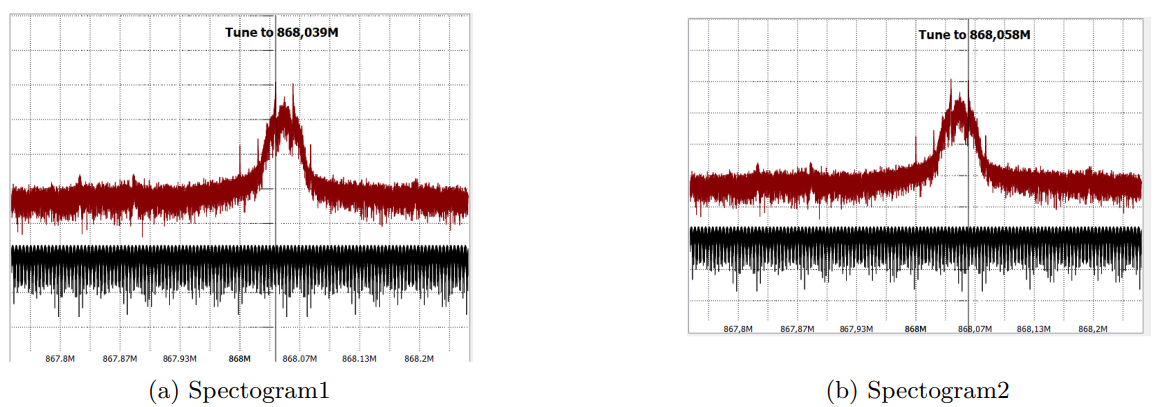
2. Let's assume we see two spikes in the frequency analyzer:
3. We can see that there are two spikes for the signal one at 868.039 MHz and one at 868.058 MHz, so the delta is 19 kHz and the deviation 9.5 kHz.
4. Next, we captured some signals with the RTL-SDR on that frequency of each sensor alone in order to analyze them
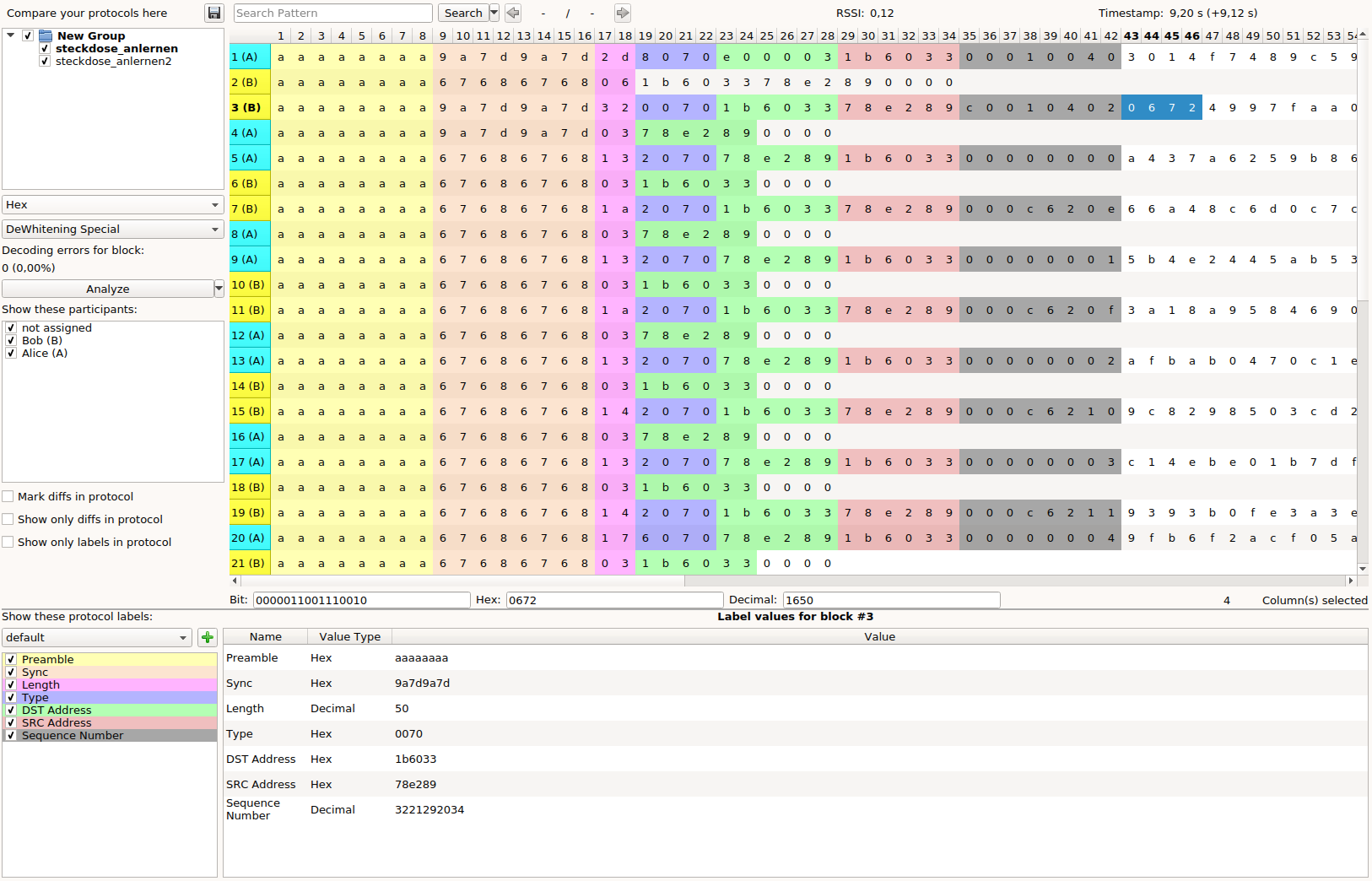
5. In the URH Interpretation we can play with the settings (Modulation,Error tolerance etc.) and we will get HEX-coded data back.
1. Note: An encoding will probably be used, so don't expect to see raw ASCII
2. We are looking for an output, which will look like packets: So probably a static header part, size, and data
3. URH has also an automatic analyze function, which will try to find patterns in the recorded data:
6. If you can interpret the data, you may can intercept sensitive data.
## Resources
\*[Demystifying SDR Hacking: A Deep Dive into Wireless Protocols Part:1](https://medium.com/radio-hackers/demystifying-sdr-hacking-a-deep-dive-into-wireless-protocols-part-1-db748b9171ca)
* [Universal Radio Hacker Git Repository](https://github.com/jopohl/urh?tab=readme-ov-file)